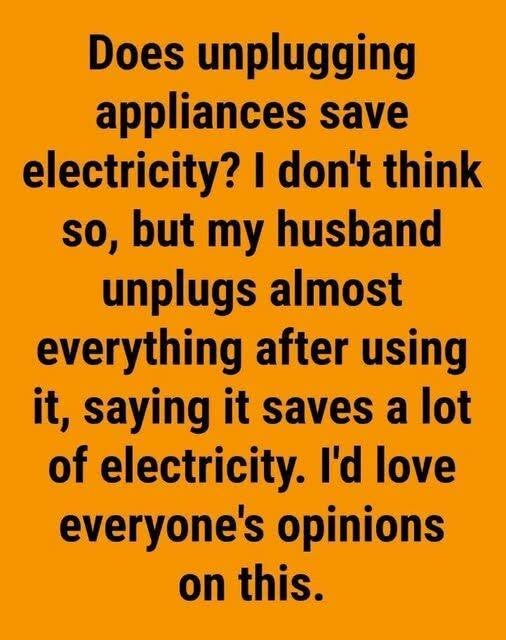
Yes, unplugging appliances absolutely saves electricity, though the total impact on your utility bill depends heavily on which devices you unplug. The continuous electricity consumed by electronics when they are turned off or in standby mode is known as “vampire power” (or phantom load).
According to energy studies, phantom power accounts for roughly 5% to 10% of the average residential electricity bill, costing households anywhere from $100 to $200 per year.
The Biggest “Vampire Power” Culprits
Not every plugged-in device draws energy continuously. Simple appliances without digital displays or transformers (like lamps, basic blenders, or manual irons) consume zero power when switched off. However, devices in the following categories continuously draw power:
1. Devices with External Power Bricks & Chargers
- Phone, Laptop, & Tablet Chargers: Leave a brick plugged into the wall without a device attached, and it still continuously draws a small amount of current to keep its transformer powered.
- Power Tool Battery Chargers: Standby docks consume electricity constantly while waiting for a battery to be inserted.
2. Electronics in “Standby” Mode
- Televisions & Streaming Boxes: Modern TVs draw power so they can instantly respond to remote control signals or wake up for background software updates.
- Gaming Consoles: Sleep modes or quick-resume settings on Xbox and PlayStation consoles can draw upwards of 10 to 15 watts continuously when not in use.
- Soundbars & Audio Systems: Subwoofers and amplifiers remain on standby to connect wirelessly.
3. Kitchen Appliances with Digital Displays or Clocks
- Microwaves & Coffee Makers: Running a digital clock or display screen continuously uses power 24/7.
- Toasters & Air Fryers with Digital Controls: Touchscreen or LED-equipped kitchen devices maintain active circuits to detect button presses.
3 Easy Ways to Eliminate Phantom Load Without Unplugging Everything
Unplugging dozens of cords individually every day can be tedious. You can streamline energy savings with these simple setups:
- Use Smart Power Strips: Smart power strips automatically cut power to secondary outlets (like gaming consoles or speakers) when the main device (like the TV) is powered down.
- Use Switchable Outlet Adapters: Individual plug adapters featuring a simple physical toggle switch allow you to cut power to a single outlet without pulling the plug.
- Group Electronics on Standard Power Strips: Plug your entire entertainment center or home office setup into a single power strip and flip the switch to off when leaving the house or going to bed.
Added Benefit: Surge Protection & Appliance Safety
Beyond saving on your power bill, unplugging unused electronics protects sensitive circuit boards from power surges caused by lightning strikes, grid fluctuations, or power outages.
Do you practice unplugging appliances at home, or do you rely on smart power strips? Share your energy-saving tips below!